


A cultural announcement often begins with strong material: a singer, a festival, a community event, a new programme, or a place with a story worth telling. Yet the first promotional assets may be limited to one portrait, one poster, and a paragraph of information. Media teams then face a practical challenge. They need fresh visuals for articles, social posts, programme pages, and short video teasers without changing the facts or losing the identity of the subject.
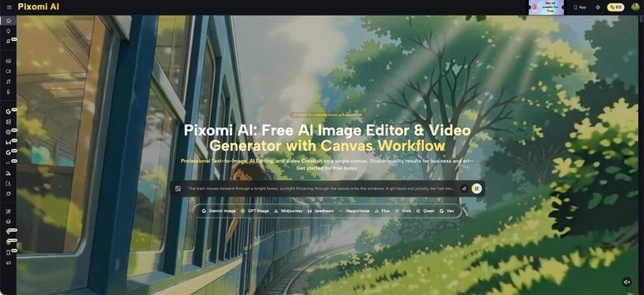
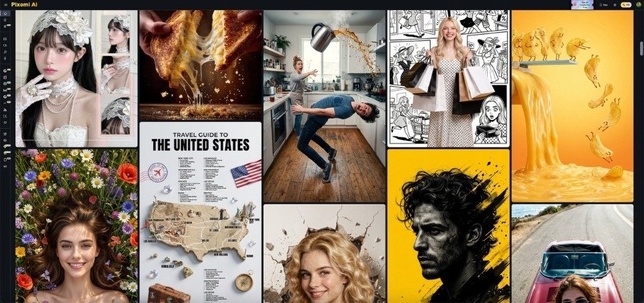
Banana Pro AI provides image generation, image transformation, and video creation from text or still images, making it useful for early visual exploration. The tool is most effective when editors treat it as part of a controlled publishing process. The original story still leads. AI helps adapt its presentation for different formats while human reviewers protect names, faces, dates, locations, and cultural details.
Start With the Story, Not the Visual Effect
Consider a small music festival announcing its first group of performers. The organisers have artist portraits, a venue photo, and event information. They do not need a random futuristic poster simply because an AI tool can create one. They need visual material that makes the announcement easier to understand and more inviting to open.
Begin by writing a one-sentence editorial purpose. For example: “Introduce three local performers and show that the event feels intimate, energetic, and connected to the island.” That sentence gives the visual work a direction.
Next, separate confirmed facts from creative choices. Names, dates, venue details, logos, and recognisable people belong in the factual group. Lighting, background atmosphere, framing, and decorative elements belong in the creative group. AI is better used on the second group. This boundary reduces the risk of turning a real cultural story into a misleading illustration.
Create a Visual Package for Several Publishing Moments
A single story often appears more than once. It may be announced, updated, previewed, and covered after the event. Instead of making one image do every job, plan a small package linked to these moments.
-
Prepare the Main Editorial Image
The main article image should explain the subject quickly. For a television programme, it may focus on the presenter or central setting. For a festival, it may combine the venue atmosphere with one clear performer image. Avoid overcrowding the composition with every name and detail.
Use a clean source image when a real person or location matters. Ask for changes around the subject rather than unnecessary changes to the subject. Open space for a publication headline can be useful, but any final text should be added with a normal design or publishing tool where spelling and placement remain fully controlled.
-
Develop Social Variations With One Shared Identity
Social platforms reward frequent publishing, but each post should still look connected to the same story. Create variations that keep a shared background tone, lighting style, or framing rule. One version might introduce the event, another might highlight a performer, and a third might remind readers of the date.
The variation should come from emphasis, not visual chaos. A media team can keep the same venue colors while changing the featured portrait. It can preserve the same composition while adjusting the crop for a different platform. This approach makes the package recognisable without posting the same image repeatedly.
-
Turn a Strong Still Into a Short Motion Concept
A still image can also become the starting point for a short teaser. With image-to-video creation, the team can explore gentle camera movement, environmental motion, or a simple atmospheric sequence. For a concert announcement, that might mean lights shifting across a stage while the central subject remains clear.
Keep the motion request modest. A short publishing teaser does not need several scene changes, complex dialogue, or invented performances. The purpose is to create movement around an approved visual idea. Review faces, signs, logos, and background details carefully before the clip is published.
Use Text and Reference Images for Different Tasks
Text-to-image creation works well for supporting visuals that do not need to reproduce a specific real person. An editor might create an illustrative background for an article about streaming habits, radio production, or changing viewing behaviour. The prompt can define mood, setting, composition, and empty space without pretending to document a real event.
Reference-based transformation serves a different purpose. With Banana Pro AI, an existing image can guide a new visual direction, while image-to-video can introduce motion to a chosen still. This route is more appropriate when a team already has approved photography and wants a related visual rather than a completely unrelated scene.
Always label generated illustrations appropriately within the editorial process. A conceptual image should not be presented as a photograph of something that happened. The audience should understand the difference between documentation, promotion, and illustration, even when all three appear on the same media site.

Protect Cultural and Regional Details During Review
Local stories often contain details that outsiders may overlook. Clothing, architecture, instruments, vegetation, skin tones, public spaces, and ceremonial elements may carry specific meaning. A generated image that treats these details as generic decoration can weaken trust, even when the technical quality appears high.
Review should therefore include someone familiar with the subject. If an image represents a dance, festival, neighbourhood, or tradition, ask whether the setting and objects make sense together. Check whether a visual blends details from unrelated places or communities. Remove elements that look impressive but have no connection to the story.
The same care applies to language. Do not rely on generated lettering for event names, French accents, local place names, schedules, or sponsor information. Add final text separately and proofread it. Editors should also obtain and respect the necessary permissions for real portraits and supplied promotional material before transforming or animating them.
Match the Format to the Reader’s Next Action
A visual is useful only when it supports what the reader is expected to do. A news article image should create interest without hiding the subject. A programme guide needs clarity. A social reminder needs a recognisable event identity. A short teaser should encourage the viewer to read, watch, listen, or attend.
Before approving a visual, view it at the size and position where it will appear. A detailed composition may work on a desktop article but become unreadable in a small mobile preview. A dramatic wide image may lose the main face when cropped vertically. Test the actual crop rather than assuming one file will adapt automatically.
Then check the image beside the headline. If both communicate the same fact, the package feels clear. If the headline announces a documentary but the visual resembles fictional action, the presentation creates the wrong expectation. Editorial accuracy includes visual tone as well as written facts.
Conclusion
AI tools give media teams more ways to present a story, but they do not decide what the story means. The strongest process begins with a clear editorial purpose and a firm line between confirmed facts and creative presentation. From there, a team can prepare a main image, related social variations, and a restrained motion concept without losing control of the subject.
The final review should focus on people, places, language, cultural details, and the reader’s next action across every publishing channel. Generated material should support responsible editorial reporting and promotion, not imitate documentation or invent events. For the next cultural announcement, build a three-part visual package from approved source material and review every format in its real publishing context.