


Decide What the Original Image Is Allowed to Become
Before changing anything, identify what kind of source you have. An official poster can be treated differently from a photograph taken at a live event. A studio portrait supplied for promotion is different from a frame showing a specific moment in a documentary.
If the image records a real event, performance, interview, or location, preserve the factual scene. Do not add a larger audience, different stage, new guest, altered signage, or dramatic weather simply to make it more exciting. Those changes can turn illustration into false evidence.
Promotional images leave more room, especially when the final result is clearly used as a supporting visual rather than a documentary photograph. Even then, keep names, recognizable people, logos, costumes, and other important details under review. The goal is not maximum transformation. It is a version that serves a different layout or mood while remaining honest about what readers are seeing.
Match Each Version to a Different Media Surface
The easiest way to avoid random variations is to write down the destination first. A homepage image, newsletter block, and social teaser each ask for different composition.
-
Build a Wide Article Image
A story page often benefits from a horizontal image with a clear subject and enough surrounding space to avoid an awkward crop. If the supplied still is tight, the visual direction can emphasize a wider environment or simpler background rather than changing the central person or object.
For a story about a new drama series, for example, the approved portrait or publicity still should remain recognizable. The supporting scene can be less crowded, giving the article layout room to breathe without suggesting a new scene from the program.
-
Create a Cleaner Social Teaser
A social post competes with busy feeds. Instead of adding more elements, remove visual noise and establish one focal point. A performer, presenter, show title treatment added later, or recognizable object should be easy to notice on a small screen.
Leave text out of the generated image when dates, times, platform names, or broadcast information must be exact. Add those details afterward in the normal publishing tool. That makes last-minute schedule changes much easier and reduces the risk of distorted lettering.
-
Make a Follow-Up Visual That Feels Related
A second article about the same program should not look like an unrelated campaign. Keep one or two anchors from the first image, such as lighting direction, background color, wardrobe, or framing style. Then change the emphasis.
A launch article might use a clean portrait, while a later interview feature uses more negative space and a quieter mood. Readers still recognize the same subject, but the second story does not feel like a duplicate of the first.
Write the Brief Before You Write the Prompt
Media teams are used to briefs, and that habit translates well to AI-assisted visuals. Start with four lines: what must remain unchanged, what may change, where the image will appear, and what feeling it should communicate.
For example: “Keep the presenter’s appearance and clothing unchanged. Simplify the studio-like background. Create a wide composition with open space on the left. The image will support a web article about a new entertainment program.” That is more useful than “make it premium and cinematic.”
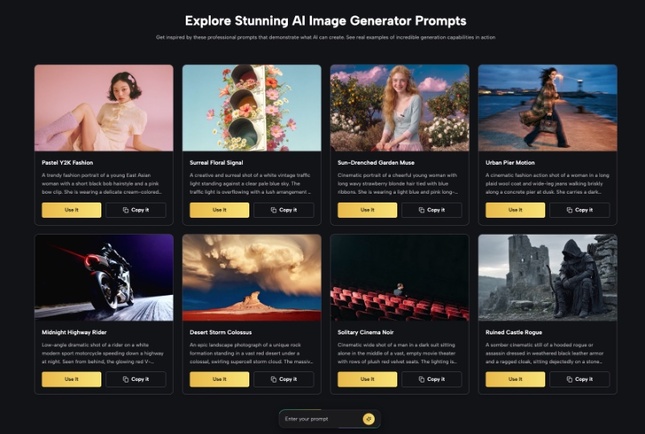
When exploring that direction with Nano Banana AI, compare every result with the supplied source. A visually attractive variation should still be rejected if it alters a person’s face, creates a fake logo, changes a meaningful costume detail, or introduces something that readers could mistake for a real scene from the production.

Keep Factual Information Outside the Generated Image
Media visuals often carry information that changes quickly: broadcast times, release dates, episode numbers, event locations, ticket details, platform availability, and sponsor names. Those details are better handled in editable text layers rather than generated into the picture.
Imagine a local broadcaster moves a special program from 8:00 p.m. to 8:30 p.m. after the promotional image has been prepared. If the time is part of a normal graphic layer, the correction takes moments. If it is embedded in a generated scene, the team may have to create and review the image again.
The same rule applies to logos and small typography. Use AI for background direction, composition, atmosphere, or an illustrative treatment. Use normal editorial tools for the information readers rely on. This separation keeps the creative part flexible and the factual part easy to verify.
Avoid Turning Promotion Into Fabricated Coverage
Entertainment and media promotion naturally uses imagined worlds, stylized posters, and dramatic imagery. The problem begins when a generated visual looks like evidence of a real occurrence.
Do not create a red-carpet appearance that never happened, a fictional crowd around an artist, a fake interview setup, or a behind-the-scenes moment that was never photographed. If a story is about an actual event, use material from that event whenever the picture is expected to document it.
For conceptual pieces, make the illustrative role obvious through context and captioning. A visual inspired by the mood of a new series can work well without pretending to be a frame from an episode. A stylized image for an article about streaming habits can communicate the topic without inventing a specific platform interface. Clear separation protects both editorial credibility and the value of real photography.
Create a Small Visual Set Instead of Endless Variations
For most media stories, three purposeful assets are more useful than a folder of twenty experiments. Keep the original publicity material, one adapted hero image, and one alternative for social or follow-up use. If the story needs more, create a new version only when it has a clearly different destination.
Name the files by function: “article-wide,” “social-teaser,” or “follow-up-feature.” Store the untouched source alongside them. That simple naming system gives another editor context without requiring a long explanation.
A small set also makes review realistic. Someone can compare three images carefully for identity, branding, factual implications, and visual quality. Reviewing twenty near-duplicates encourages quick decisions based only on appearance. Media work benefits from speed, but speed should come from a clear process rather than from skipping the distinction between promotion and documentation.
Conclusion
A single publicity image can support more than one story when every variation has a defined job. Start by deciding whether the source is documentary or promotional, then adapt composition and atmosphere without inventing factual events. Keep schedules, names, logos, and other exact information in normal editable layers, and review people and recognizable details against the source. The result is not a substitute for genuine press photography; it is a practical way to make supplied visual material work harder. On the next media announcement, define the article, social, and follow-up uses before creating any new version.